Oversight without the chasing.
The master schedule shapes your whole school year. Meridian60 lets you see where it stands at any point, and step in early, without calling a meeting to find out.
See Meridian60 for principals.
Length:
Best on a computer. The demo uses invented data, and nothing is saved.
Read the transcript
Building a school schedule takes coordination across an entire school. No one person holds all of it. As a principal, you need to know where things stand and what still needs attention. Meridian60 brings your scheduling process into one organized workspace with clear progress across each stage. Gather staff preferences through a structured survey. The answers come back in one consistent form. And see how course requests are changing. Some courses are gaining, others are losing. Confidently, when the timetable is imported, review classes that exceed their capacity and identify issues worth addressing. You can also review lunch and on-call coverage with suggested assignments your team can adjust. From early planning to final checks, Meridian60 gives school leaders a clearer view of the work ahead.
Meridian60. The scheduling season, shortened.
Explore the principal demo at demo.meridian60.ca.
-
See progress at a glance.
Every stage of the process in one place, with each step marked as it’s completed.
-
Run the staff survey.
Create it, open it, and decide when Guidance sees the results. Teachers answer through a private link, with no account needed, and closing the survey stops submissions at once.
-
Staffing conversations, backed by numbers.
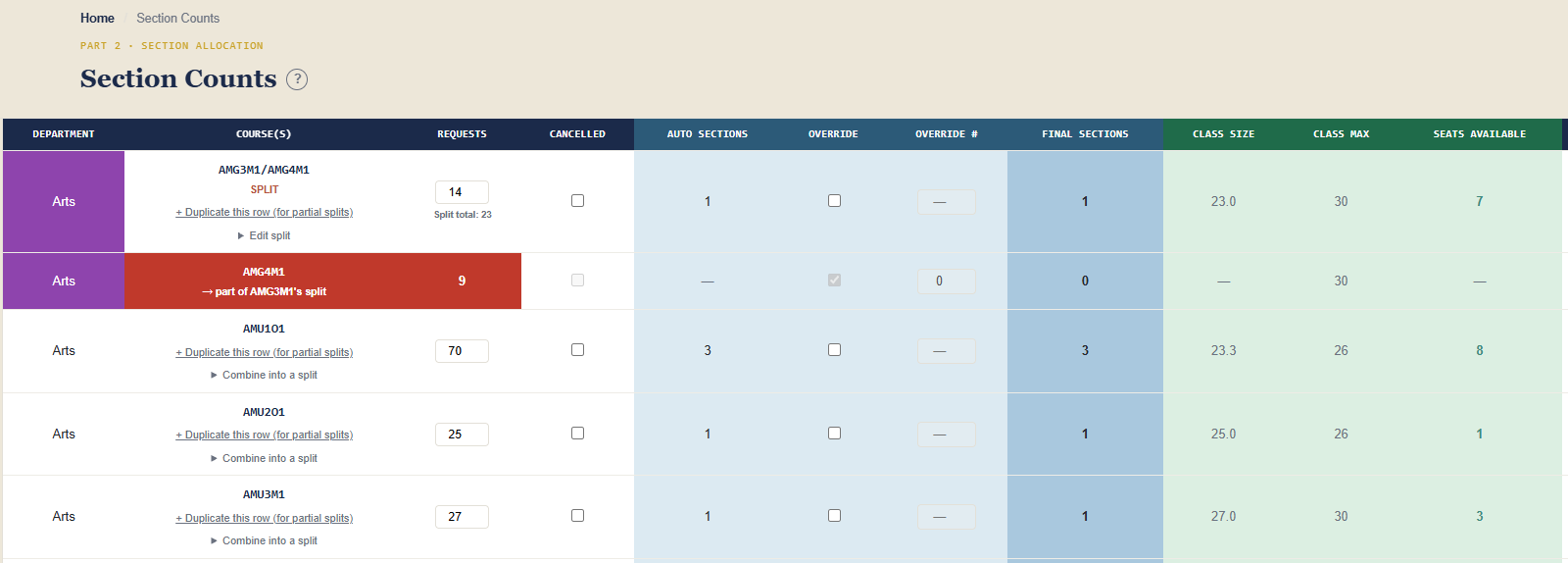
Course requests and section counts side by side.
-
Department heads in the loop.
Department heads work on their own departments in the app, and the schedule changes they propose come to Guidance and to you for review.
-
Fewer surprises.
Problems surface while there’s still time to fix them.
Each person sees only their share. Department heads see only their own departments, and the database itself enforces it. Security & privacy details
From a principal
Meridian60 is an outstanding scheduling application that makes the complex process of school scheduling significantly more manageable. The platform is intuitive, exceptionally user-friendly, and thoughtfully designed to meet the needs of school Administration, Guidance, and Department Heads. It consolidates all aspects of school scheduling into one clear, organized, and efficient system, allowing for greater accuracy, collaboration, and confidence throughout the process. Meridian60 simplifies what can often be an overwhelming task, saves valuable time, and ensures that important details are not overlooked. It is an impressive and highly practical tool that I would strongly recommend to any school looking to streamline and improve its scheduling process.
A look inside the Demo School
Screenshots from the Demo School, with invented data.
-
 (opens full size)
Section Counts: requests, sections and seats available for each course, side by side. -
 (opens full size)
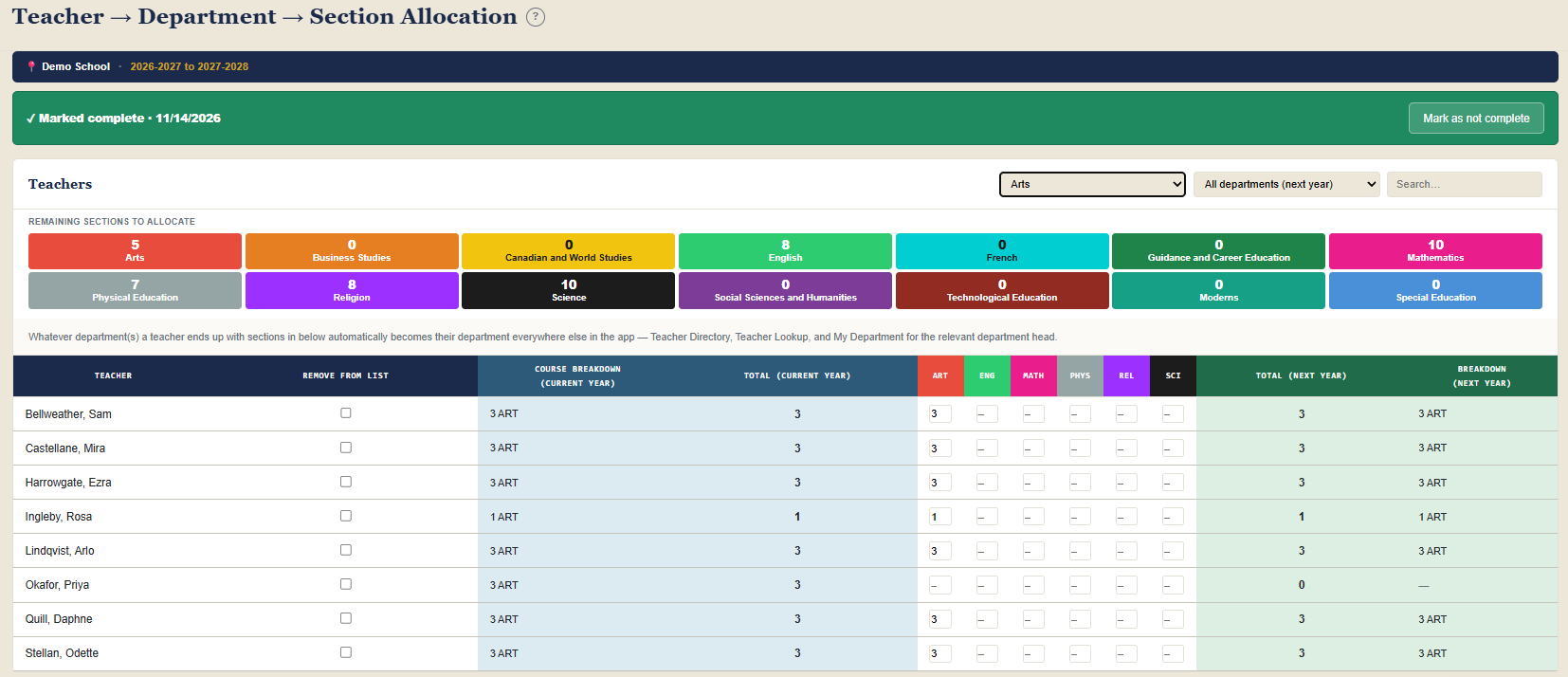
Teacher, department and section allocation: each Arts teacher’s sections this year and next, with what’s left to allocate in each department.
See it with your own school in mind.
Try the Demo School on your own, or book a 30-minute walkthrough built around how your school schedules today.
Best on a computer. The demo uses invented data, and nothing is saved.