Your scheduling season, organized.
Building the master schedule falls on a small team, usually alongside everything else guidance does. Meridian60 was built by an Ontario guidance counsellor with five years of master-scheduling experience to take the spreadsheets, repeated work and email chains out of it.
See Meridian60 for guidance teams.
Length:
Best on a computer. The demo uses invented data, and nothing is saved.
Read the transcript
Scheduling starts long before a timetable takes shape. It is careful work done early, and for guidance teams, the details matter. Meridian60 brings the planning process into one organized workspace, built for Ontario secondary schools. Every course and section lives in one place. Start by reviewing course lists and spotting missing information. You see what is missing before it becomes a problem. Then turn course requests into section plans. Each course shows its requests. Combine smaller courses into a shared section and see the numbers before making a decision. The choice stays with your team. Need to cancel a course? Keep the impact on requests visible as you plan. You can see the effect before anything changes. Allocate teaching sections by department. You can see the sections still to allocate. Then bring department heads into the process to assign courses and rooms. They work in the same plan alongside you. Your team can work from one coordinated plan, from early decisions through final preparations. And once a timetable is imported, Meridian60 helps you review the results.
Meridian60. The scheduling season, shortened.
Explore the guidance demo at demo.meridian60.ca.
-
One workflow, start to finish.
From course requests to the reviewed master schedule.
-
Use the data you already have.
Import from PowerSchool, PowerScheduler and myBlueprint exports. No retyping. Meridian60 organizes the process; your scheduling software still builds the timetable.
-
Department heads in the app.
You open each part to department heads when it’s ready. They work only on their own departments, and their input arrives in one place, in one format.
-
Course codes checked against Ontario’s list.
Course codes are checked against Ontario’s official course list, so typos stand out early.
-
Schedule changes tracked.
Department heads propose changes in the app, you review them across departments, and there’s a clear record of what changed and when.
From a guidance leader
Meridian60 is more than just a scheduling tool—it's an essential part of making our school's scheduling process successful. The app is easy to navigate, has everything you need at your fingertips and the customer service is incredible. I wholeheartedly recommend it to anyone involved in school scheduling. I truly don't know what I would do without it!
A look inside the Demo School
Screenshots from the Demo School, with invented data.
-
 (opens full size)
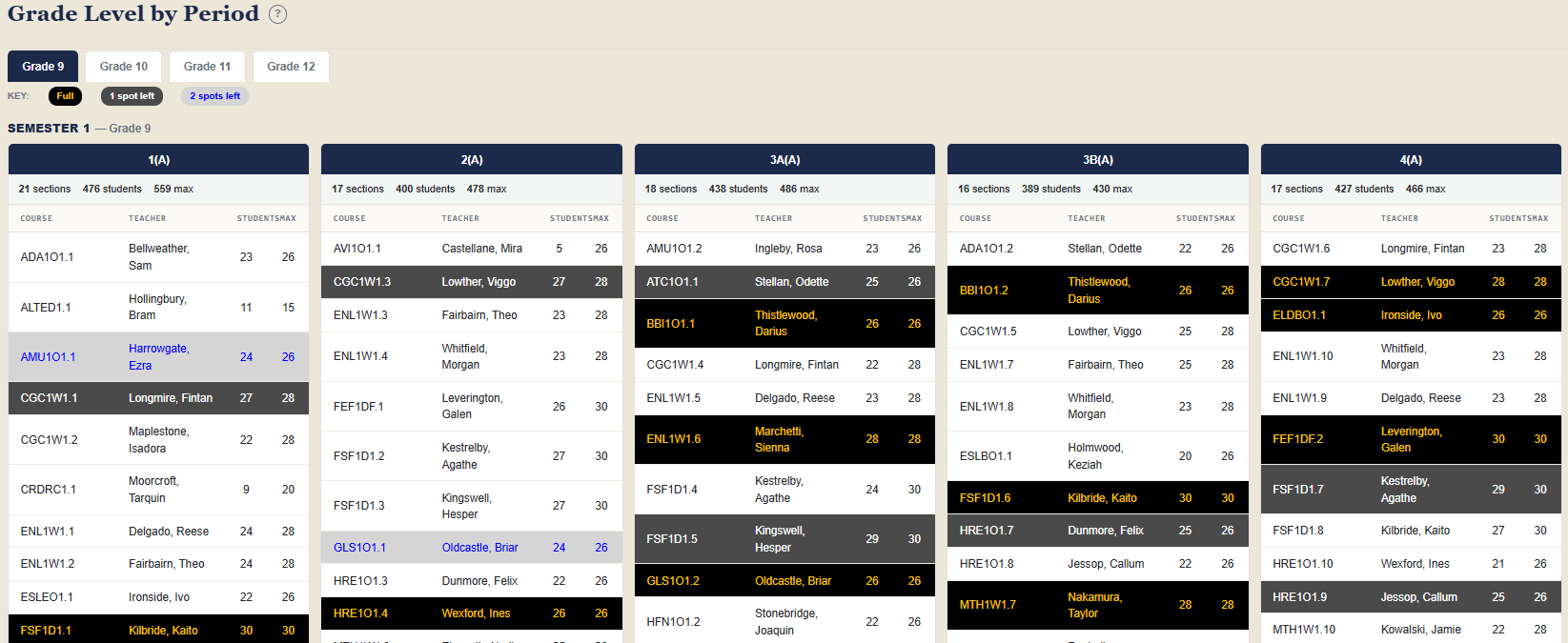
Grade Level by Period: every Grade 9 section in Semester 1, period by period, with full classes highlighted. -
 (opens full size)
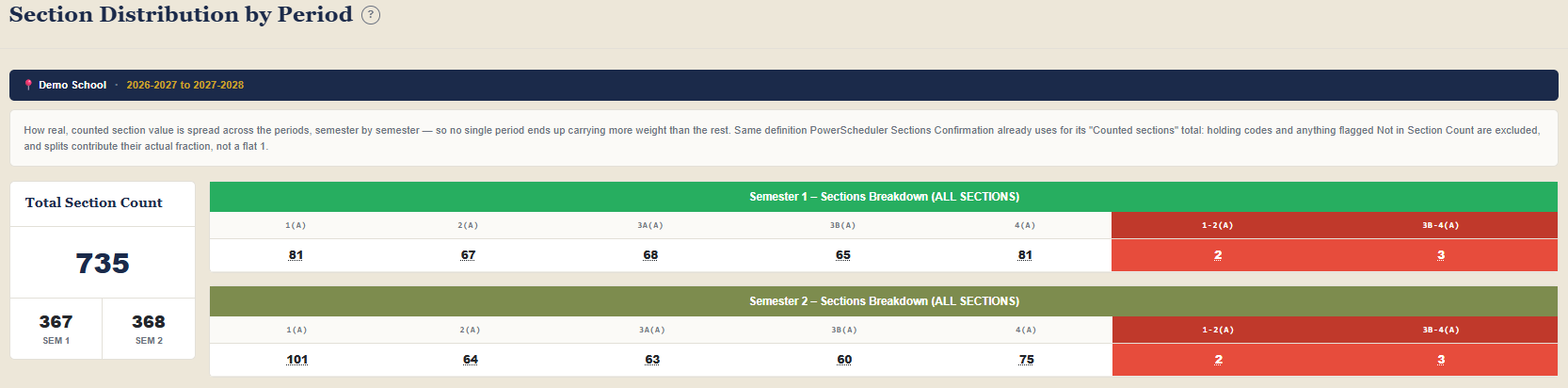
Section Distribution by Period: how sections spread across the periods, semester by semester. -
 (opens full size)
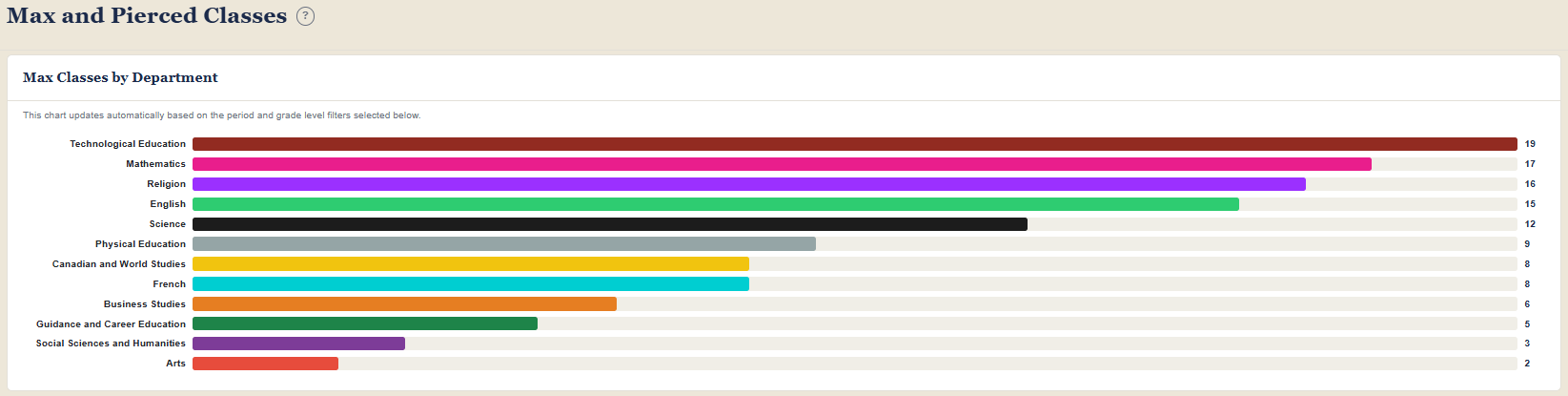
Max and Pierced Classes: which departments have the most classes filled to their maximum. -
 (opens full size)
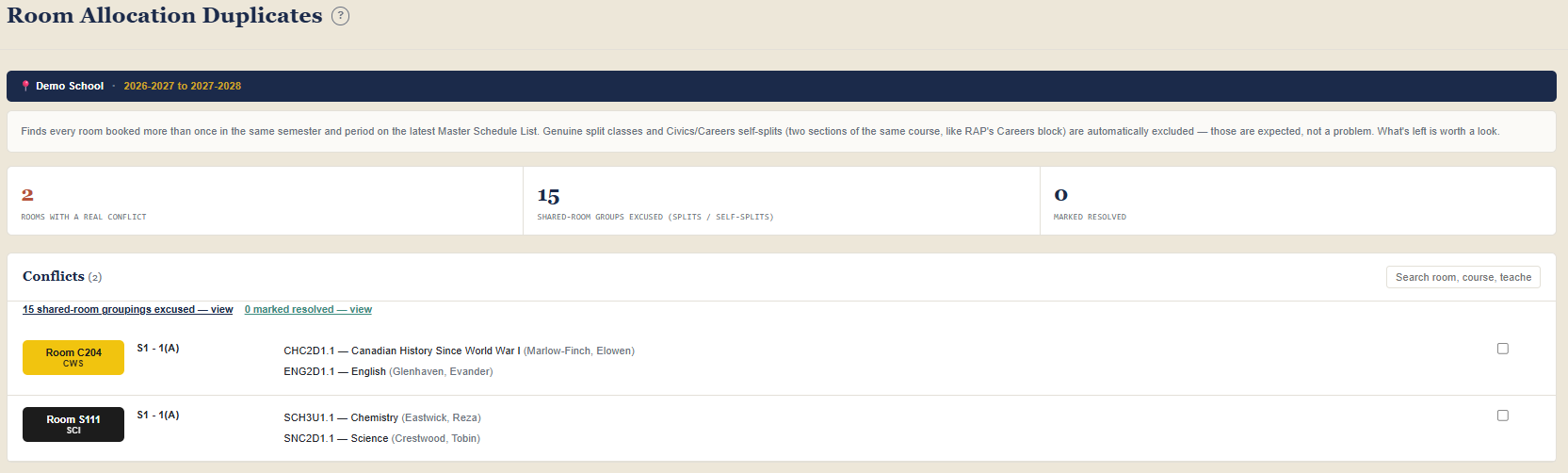
Room Allocation Duplicates: rooms booked twice in the same period, with shared rooms from splits set aside.
See it with your own schedule in mind.
Try the Demo School on your own, or book a 30-minute walkthrough built around how your school schedules today.
Best on a computer. The demo uses invented data, and nothing is saved.